Self Assessments are located under the Appraisal dropdown and these are always assigned once a manager or HR has set an objective.
You will be notified via email that a self-assessment has been set and needs to be completed.
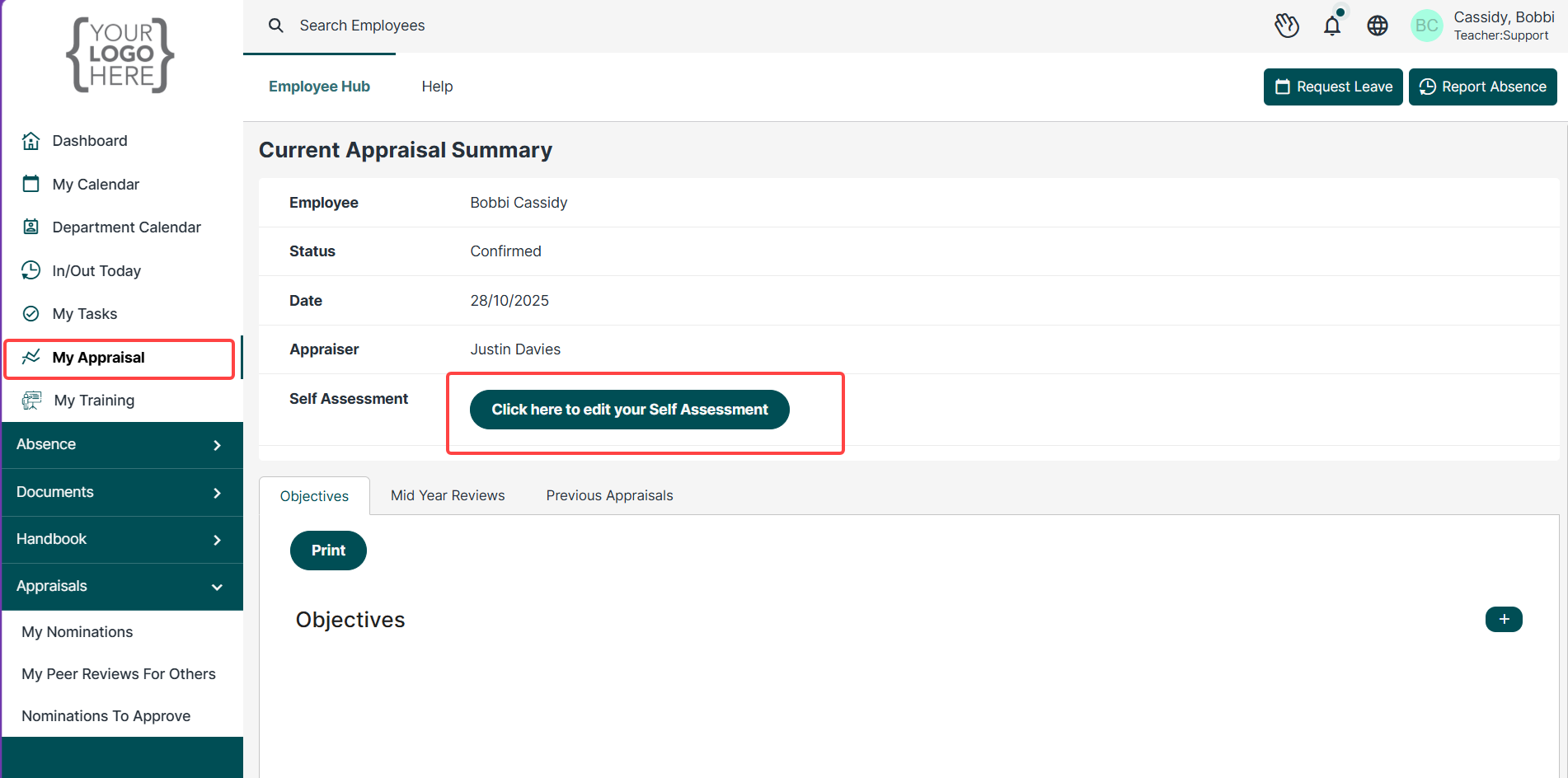
To complete your self-assessment, click on the box 'click here to edit your Self Assessment.
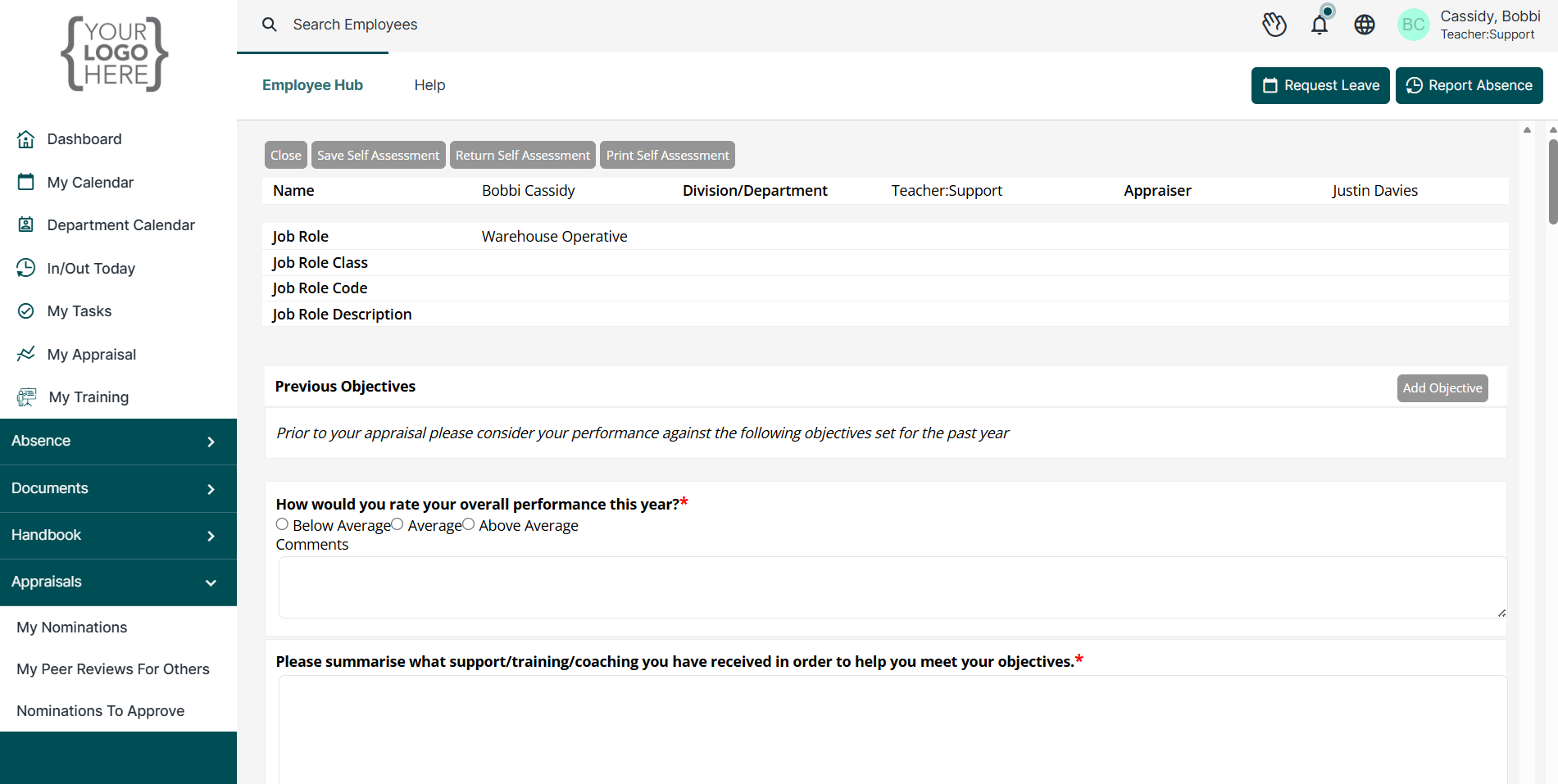
Depending on your role, the objectives set by your Line Manager and/or HR you will need to scroll through and complete the self-assessment and submit it by the due date set by your approver.
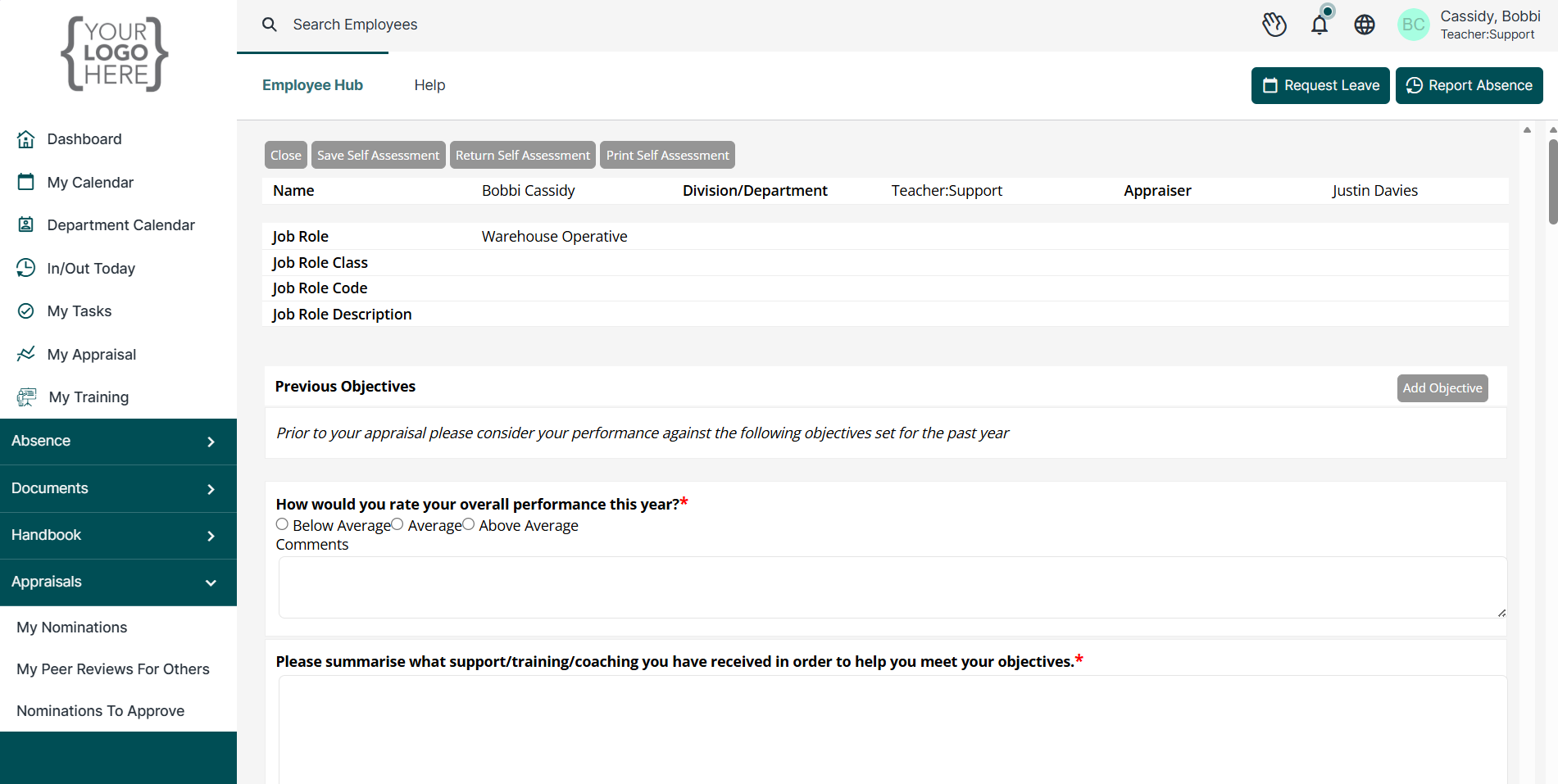
As you go through the self assessment, you will be able to set next year's objectives and add any additional files
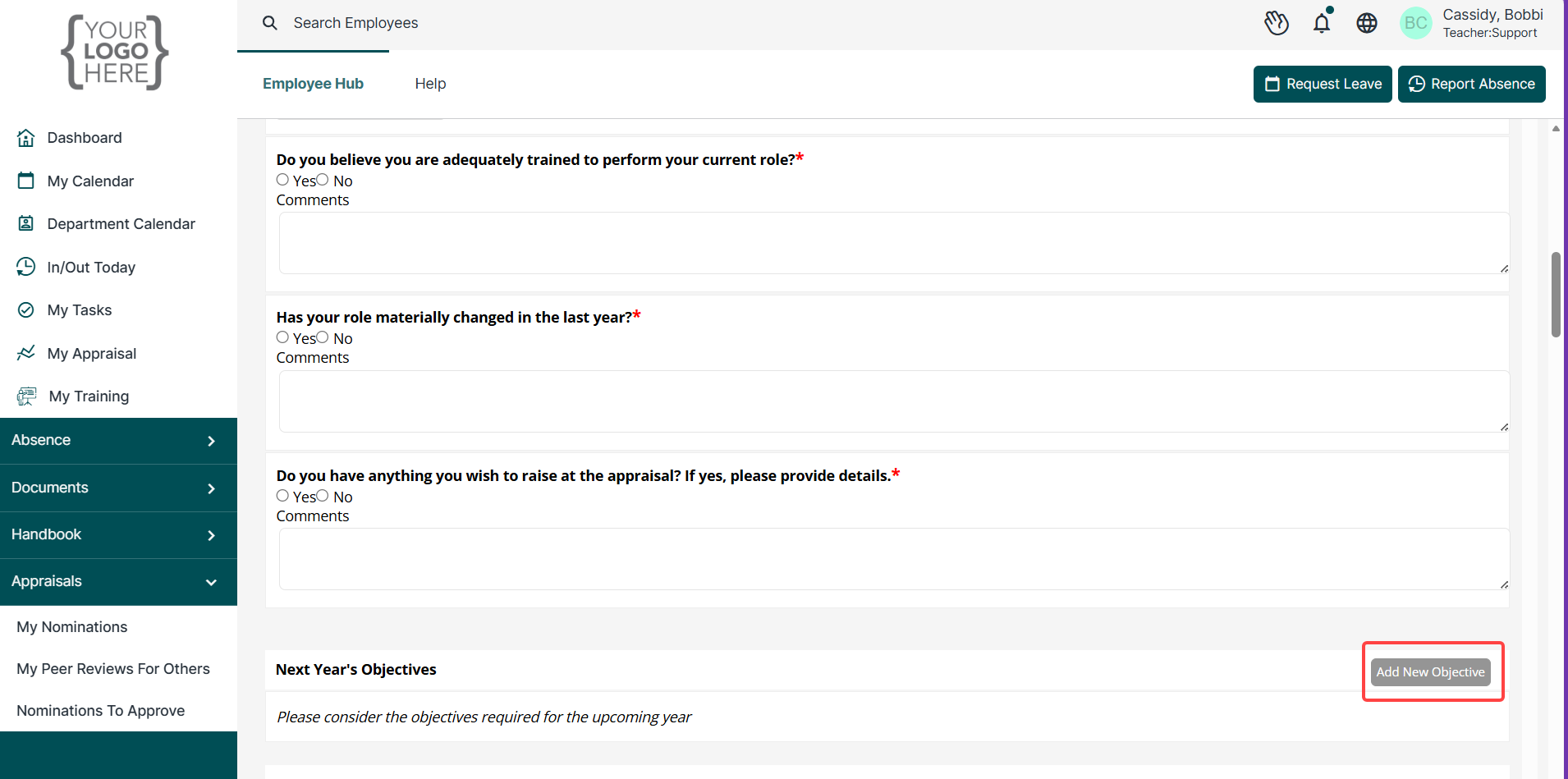
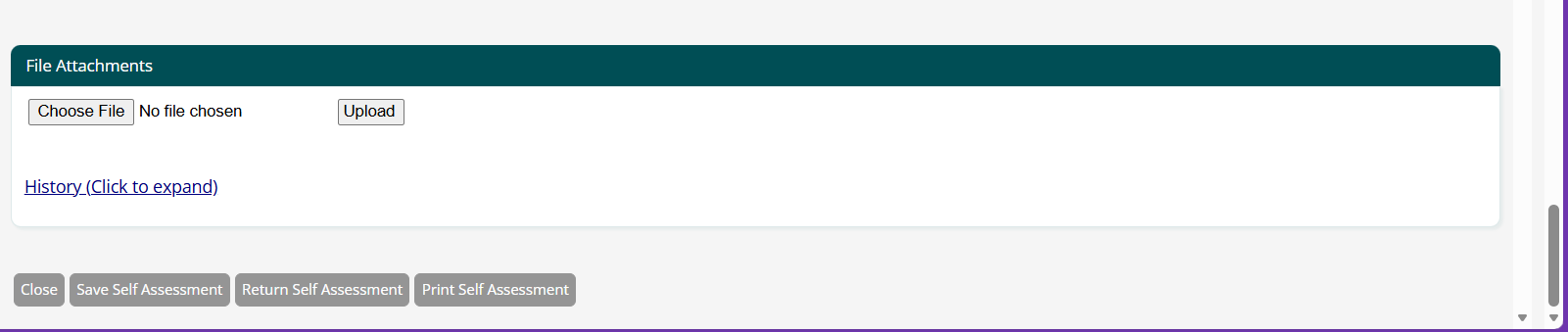
Saving and Returning your self assessment
Once you have completed your self assessment, you will have two options:

Save Self Assessment - this will allow you to go back in and edit your answers.
Return Self Assessment - this will return your self assessment to your Manager and you will NOT be able to edit it.
You also have the option to Print Self Assessment to PDF as a form.
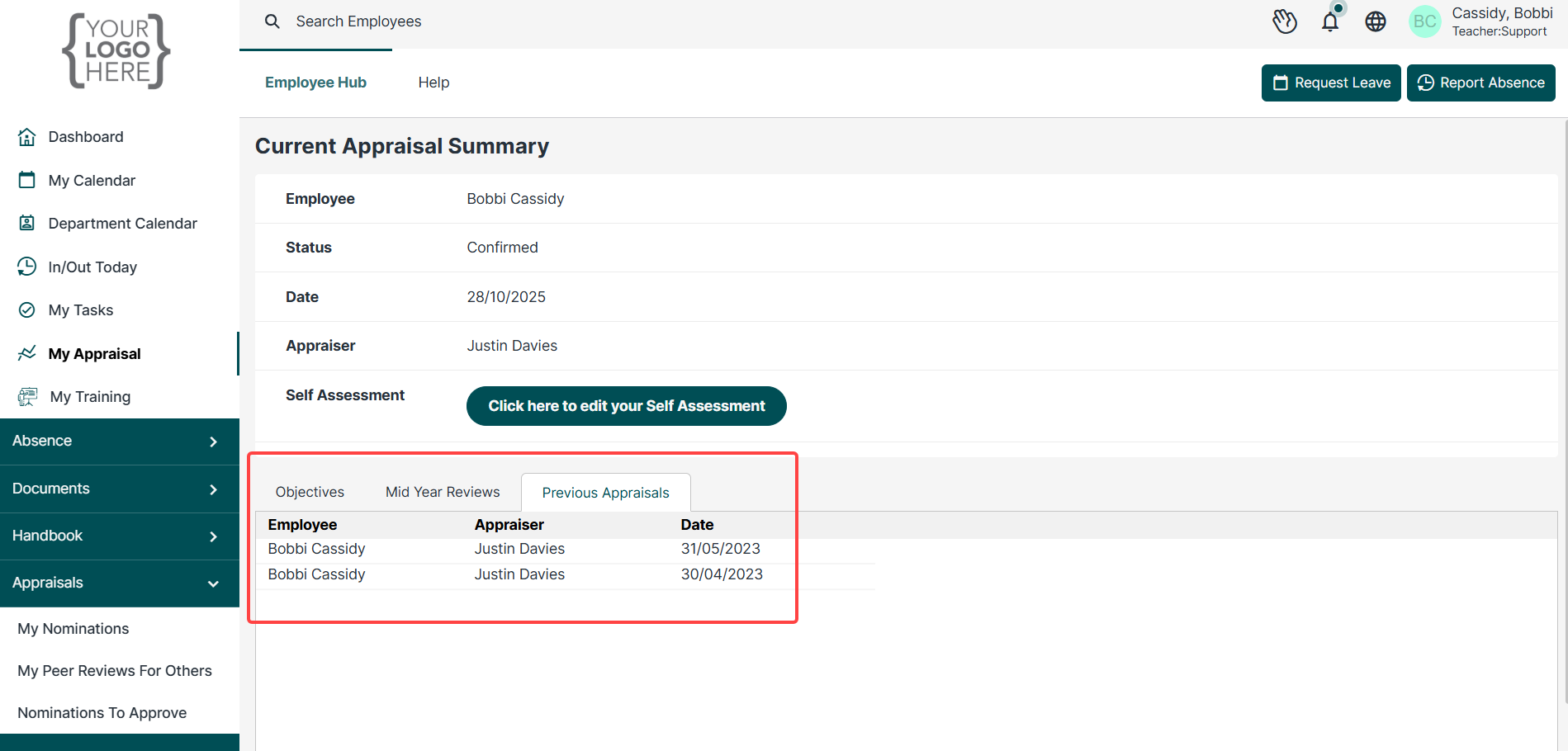
Previous self assessments
Previous self-assessments will be located under the Previous Appraisals tab
Was this article helpful?
That’s Great!
Thank you for your feedback
Sorry! We couldn't be helpful
Thank you for your feedback
Feedback sent
We appreciate your effort and will try to fix the article