Interim reviews, also known as, mid year reviews will be assigned at certain points in your employment year. You will be email notified that these have been assigned to you and are available to be completed.
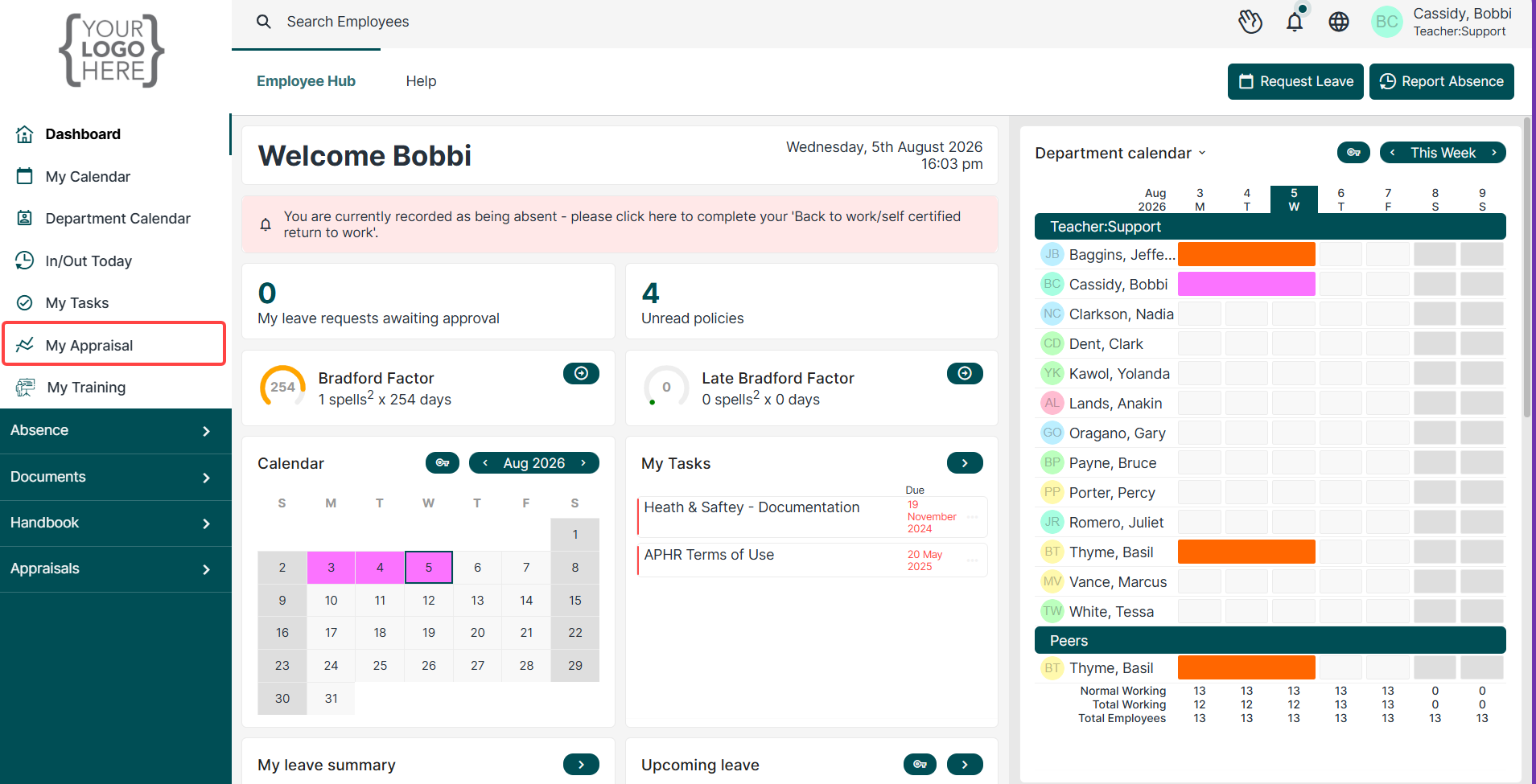
Interim (Mid-Year Reviews) can be located under the My Appraisals tab on the left hand side of the main dashboard page.
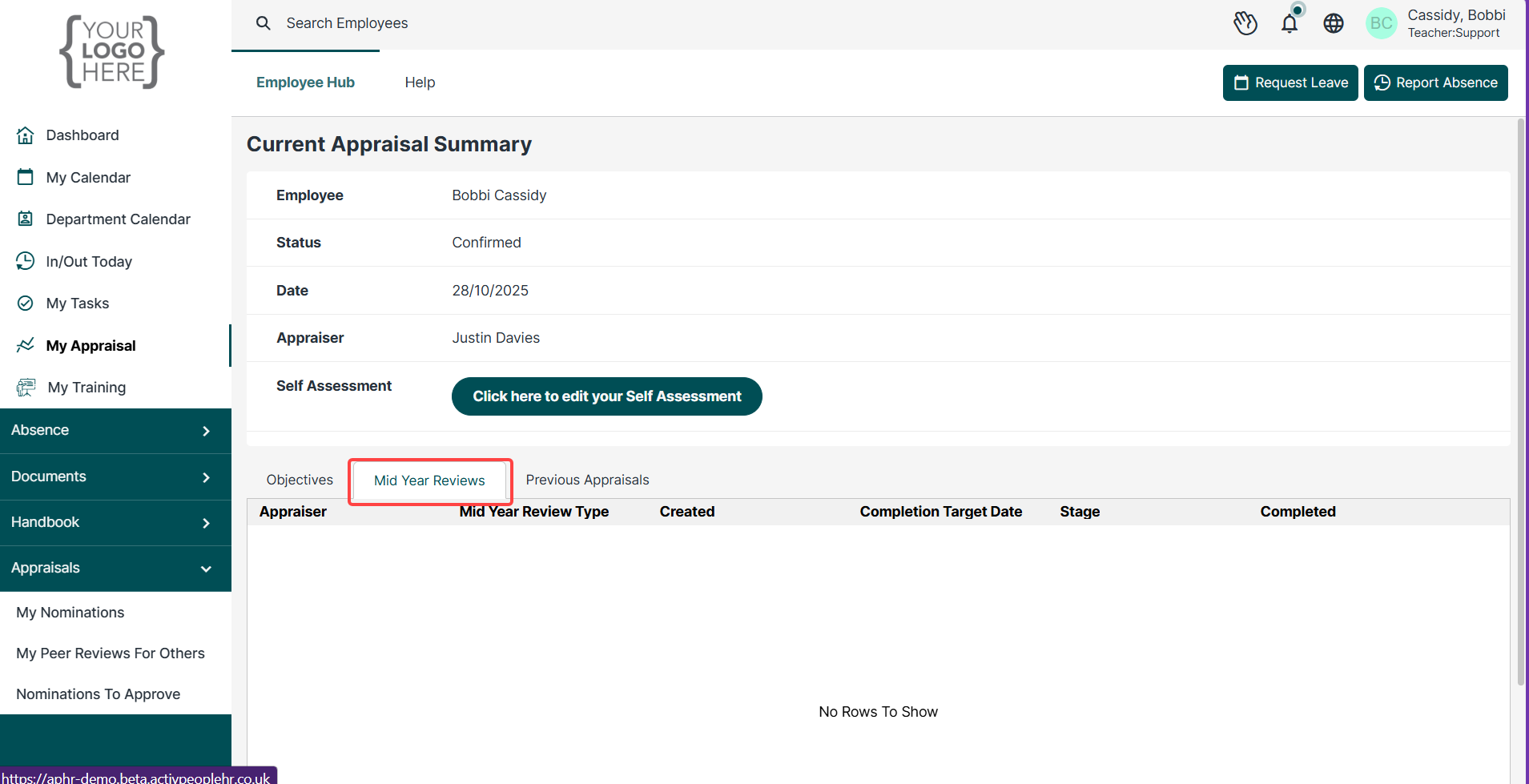
When you click on the My Appraisals option you will see a screen like the one below. You need to select the middle tab > Mid Year Reviews to complete the tasks in there.
Was this article helpful?
That’s Great!
Thank you for your feedback
Sorry! We couldn't be helpful
Thank you for your feedback
Feedback sent
We appreciate your effort and will try to fix the article